We Converted WebP to GIF, PNG and JPG. Here Are the Real Sizes
We ran five WebP files through GIF, PNG and JPG and measured every result. Real file sizes, before and after crops, and which format to pick.
Most guides tell you that GIF files are big and that PNG is lossless. That is true, but it does not tell you how big, or when it actually matters. So we ran our own test. We made five WebP files that look like the images people convert every day, ran each one through the Byewebp converter as GIF, PNG and JPG, and measured every result.
How we tested
- Files. We created our own test images so we could publish them without copyright issues. The set included an animated sticker, a colorful video-like animation, a photo-style sunset, a screenshot of our homepage and our logo with a transparent background.
- Tool. Every file was converted in the Byewebp WebP to GIF converter with default settings. JPG used quality 88 unless noted.
- Setup. Chrome on Windows 11, October 2026. We converted each file three times and got the same size every time.
- What we left out. Conversion speed. It depends too much on your device to be useful as a number.
The results
| Test file | WebP | GIF | PNG | JPG |
|---|---|---|---|---|
| Animated sticker, 256×256, 12 frames | 77 KB | 872 KB | 41 KB* | 9 KB* |
| Video-like animation, 320×240, 24 frames | 46 KB | 2,044 KB | 92 KB* | 7 KB* |
| Photo-style image, 1200×800 | 62 KB | 1,064 KB | 1,399 KB | 106 KB |
| Screenshot, 1280×800 | 37 KB | 1,135 KB | 323 KB | 85 KB |
| Logo with transparency, 1360×400 | 11 KB | 414 KB | 45 KB | 27 KB |
*PNG and JPG keep only the first frame of an animation, so these sizes are not comparable with GIF.
Three things stood out.
Every conversion made the file bigger. Even JPG, the most compact of the three, came out 1.7 to 2.5 times larger than the WebP. WebP really is that efficient.
GIF was the worst for still images. The screenshot grew from 37 KB to over 1.1 MB, about 31 times bigger, and looked almost the same. Byewebp’s GIF encoder favors image quality over file size, so it spends extra data keeping smooth areas smooth. For a still image that data buys you nothing.
PNG was the largest file for the photo. At 1.4 MB it was even bigger than the GIF. PNG keeps every pixel exactly, and a photo has millions of tiny color changes to keep.
Smooth colors in an animation, before and after
The video-like animation grew 45 times as a GIF. Zooming into the first frame shows why. WebP keeps the gradient smooth. GIF has to fit every frame into 256 colors, so the gradient breaks into blocks.
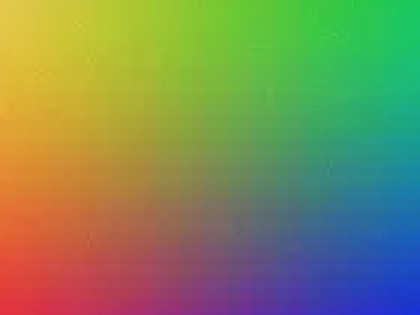 Before · WebP
 After · GIF
If you want the background on why this happens, we explain why GIF files end up bigger than WebP in a separate guide.
Sticker edges, before and after
The sticker had a soft drop shadow. WebP can store pixels that are partly transparent, so the shadow fades smoothly into whatever is behind it. GIF only knows fully transparent or fully solid, so the shadow disappears and the outline turns jagged.
 Before · WebP
 After · GIF
On a white chat background you will barely notice. On a dark or colored background, the rough edge shows.
A screenshot as GIF, before and after
Here the difference is the opposite. The two images look almost the same, but the GIF is 31 times bigger.
 Before · WebP, 37 KB
 After · GIF, 1,135 KB
For screenshots, PNG is the better target. It kept the text perfectly sharp at 323 KB.
Transparency in PNG vs JPG
JPG cannot store transparency, so Byewebp fills transparent areas with a background color, white by default. On a dark page the logo then sits in a white box.
 PNG keeps the transparent background
 JPG fills it with white
If you need JPG anyway, set the background color to the color of the page where the image will go.
Where the file size goes at each JPG quality
We converted the photo-style image and the screenshot at five quality levels.
| JPG quality | Photo-style image | Screenshot |
|---|---|---|
| 70 | 39 KB | 59 KB |
| 80 | 61 KB | 70 KB |
| 88 (default) | 106 KB | 85 KB |
| 95 | 233 KB | 117 KB |
| 100 | 664 KB | 236 KB |
The jump at the top end is the useful part. Going from 95 to 100 almost tripled the photo, and that extra data goes into detail that is very hard to see at normal viewing size. Between 80 and 88 is where most images look right without wasting space.
What we would do after this test
- Animation? Use GIF only when the place you are sending it cannot play WebP. Shorten and resize first, because every frame costs a lot.
- Screenshot, logo or anything with transparency? PNG. Never GIF for still images.
- Photo? JPG at 80 to 88.
- Unsure? Convert the same file twice. Byewebp keeps your files when you switch format, so comparing takes seconds.
Frequently asked questions
How much bigger does a WebP get when you convert it to GIF?
In our test, between 11 and 45 times bigger for animations and up to 39 times bigger for still images. Smooth, colorful animations grew the most.
Is PNG always smaller than GIF?
No. For a photo-style image, the PNG was 1.4 MB and the GIF was 1.1 MB. PNG is lossless, so it stores every subtle color change in a photo.
What JPG quality gives the best size to quality balance?
Around 80 to 88 for most images. Going from 95 to 100 almost tripled the size of our photo-style image, and that extra data goes into detail that is very hard to see.